Feature spotlight

Aug 8, 2026 • 2 min read

In This Blog
If your team tracks budget or priority scoring across a large backlog, there’s a good chance someone still builds that math the old-fashioned way: export to Excel, write a formula, then reconcile it with Jira by hand once things change.
That reconciliation step is usually where the numbers start to drift.
Formula Field brings that calculation into the spreadsheet itself.
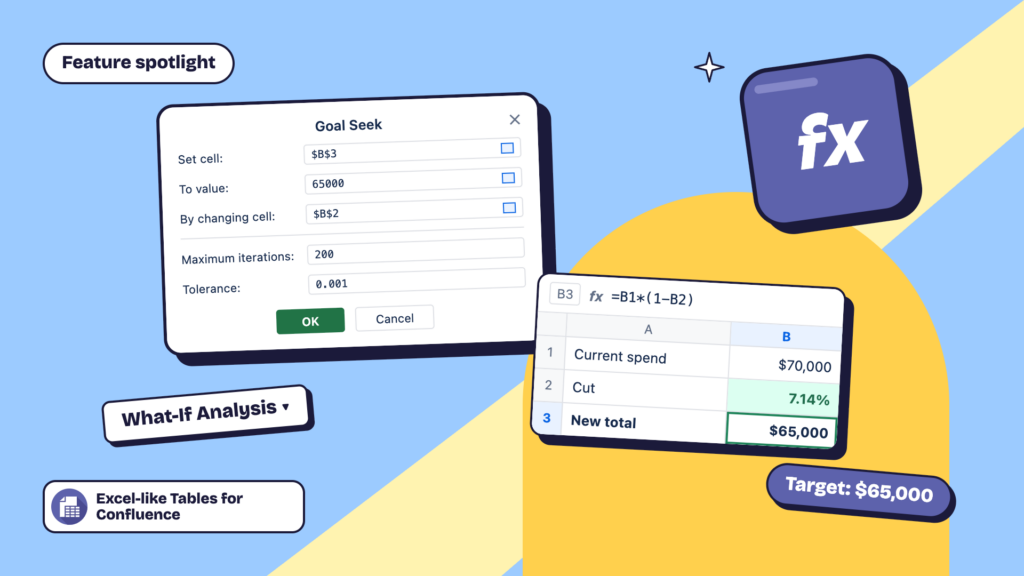
A Jira or Space admin sets up a formula: say, Cost Variance = Budgeted Cost minus Actual Cost — using standard operators (+, −, ×, ÷) against your existing number fields. Once it’s configured, anyone can add it as a column from Column Configuration. The field is read-only and recalculates in real time: change the underlying Budgeted Cost or Actual Cost, and the formula updates without anyone touching Excel.
A program manager prepping for a steering committee review adds a “Cost Variance %” column to her release spreadsheet. As the team logs actual costs against issues throughout the week, the column updates on its own. By the time she opens the sheet Friday morning, the numbers are already current. No export, no manual recalculation, no separate version to double-check against Jira.
It’s part of a bigger pattern: pushing the reporting and analysis work into the same view where the editing happens, instead of a separate spreadsheet that’s out of date the moment someone makes a change in Jira.
Formula fields can only be created or edited by Jira Admins or Space Admins. If you need a new one, that’s who to ask. See Formula field for what end users can expect, and Creating and managing formula fields for the admin setup steps.
Not using Excel-like Bulk Issue Editor for Jira yet? Start a 30-day free trial to see how it works for your team.