







Feature spotlight


Sep 14, 2026 • 2 min read
In This Blog
A question about one cell in a shared table usually turns into a screenshot pasted into Slack, or a comment left on the whole page that doesn’t say which number it’s actually about. Either way, the conversation happens somewhere other than the data it’s about, and whoever answers has to go find the table again to check.
Threaded Comments with @mentions keeps that conversation attached to the exact cell or range it’s about. Leave a comment directly on a number, tag a teammate to pull them in, and keep editing the rest of the sheet while they reply. No locked file, no waiting your turn.
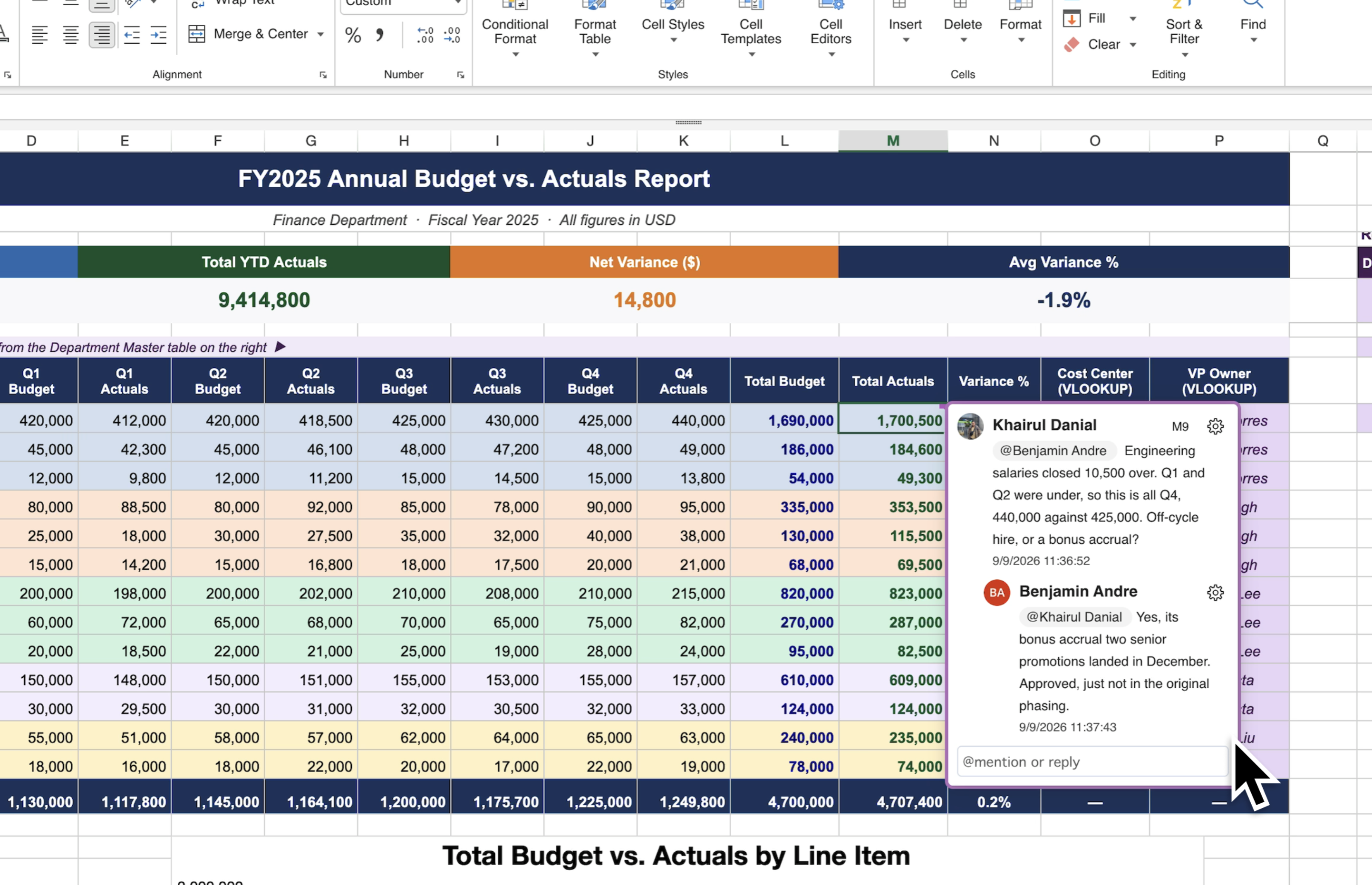
A Team Lead reviewing a departmental KPI table notices a number that looks off. Instead of messaging the analyst separately and hoping they know which figure it refers to, the Lead comments directly on the cell and tags them. The analyst replies inline a few minutes later, explaining the number: both of them kept working the whole time.
It’s the same real-time collaboration Excel-like Tables for Confluence already supports, extended into an actual conversation instead of just shared editing; the table becomes a place to discuss the data, not just a place to enter it.
Full setup and @mention reference: Threaded Comments documentation
Not using Excel-like Tables for Confluence yet? Start a 30-day free trial to see how it works for your team.