








News
In This Blog
Hello! My name is Takayuki, a developer of Excel-like Bulk Issue Editor for Jira.
In this post, I will introduce the new features implemented in Excel-like Bulk Issue Editor for Jira 1.6.
Set Assignee to “Unassigned”
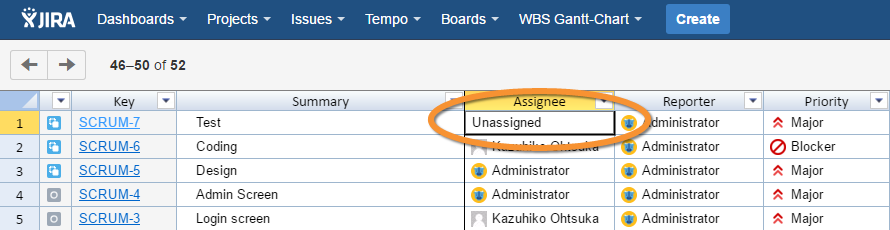
Excel-like Bulk Issue Editor for Jira 1.6 now allows you to set the Assignee field to “Unassigned” if the system is configured to do so. This feature was not available in the previous version and was added as a result of the feedback received from Excel-like Bulk Issue Editor for Jira customers.
Simply press the DELETE key when the Assignee field is selected.
Custom Field Type
The following custom field types can now be saved:
Project picker
“None” in the option of a cascading select list
Give it a Spin
At Excel-like Bulk Issue Editor for Jira, we continuously strive to improve our services to our customers. If you have any suggestions or requests, please feel free to contact us. We value and appreciate all of the feedback that we receive.
You can download a trial version of Excel-like Bulk Issue Editor for Jira from the Atlassian Marketplace and use it free for 30 days. Just give it a spin!