Feature spotlight

Aug 7, 2026 • 2 min read

In This Blog
A program manager reporting weekly percent-complete numbers to a steering committee wants one thing: the number in Friday’s deck to match the number in the app on Monday.
A parent issue’s percent done could match the tracked field on first load, then quietly recalculate to an average of its children’s progress the moment anyone updated a subtask, even a subtask nobody on the steering call knew existed. The number moved without anyone touching the parent.
Gantt Configuration → Issue → Issue view configuration → Percent Done now has a straightforward switch: “Calculate Parent percent done from Children,” Enable or Disable.
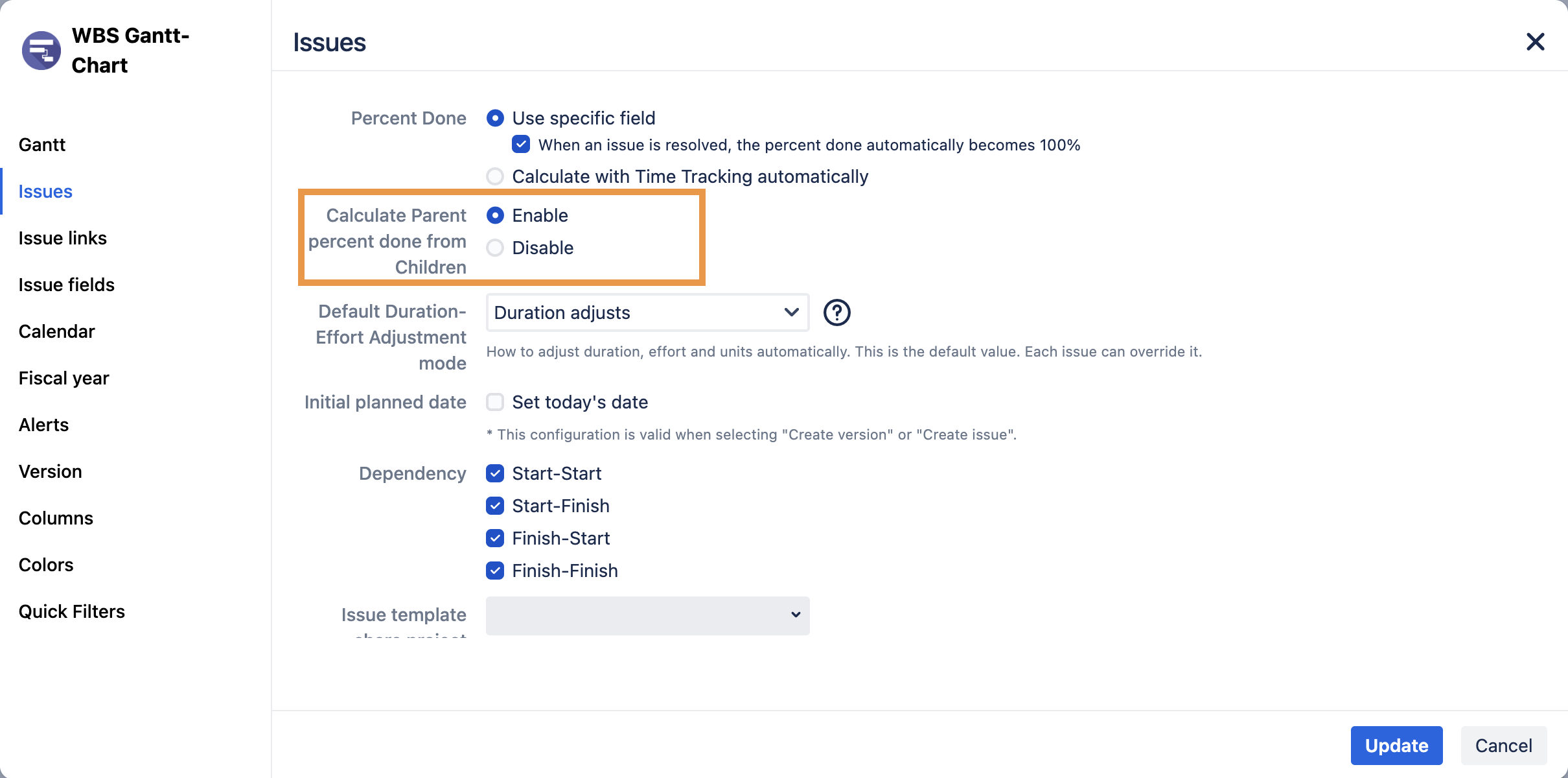
Leave it enabled and parent progress keeps averaging from child issues as work updates, useful when you want a live rollup.
Disable it and the parent’s percent done comes only from the field (or time tracking) you specify, full stop. Child issues can change status all day without touching the parent’s number.
Picture that program manager after switching it off. She sets the parent issue’s percent done from a custom field her team updates directly during the weekly review, once, on Friday. The number that goes into the steering deck is the same number sitting in the app on Monday, Tuesday, and next Friday, because nothing but that field can move it. No more explaining a discrepancy that traces back to a subtask three levels down that nobody in the meeting has ever opened.
The setting doesn’t pick a side: automatic rollup is still there for teams that want it. It just makes progress tracking a choice instead of something that happens to you.
Full detail on how the toggle changes the calculation, including how it interacts with “Use specific field” versus time-tracking options, is in Gantt issue settings.
Not using WBS Gantt-Chart for Jira yet? Start a free 30-day trial to see how it works for your team.