Topic
- Reporting & Data Visualization
Featured Apps
Table of Contents
Challenge
Large tables often hold far more information than what’s needed for a specific page or audience. Manually copying or recreating partial data is time‑consuming and prone to errors.
Solution
With the Range Excerpt macro, you can pull only the rows and columns you want from your master table and display them on another page. Your shared data stays in sync with the source—no extra work required.
Get Started
-
Go to the page where you want to display the data subset and click Edit.
-
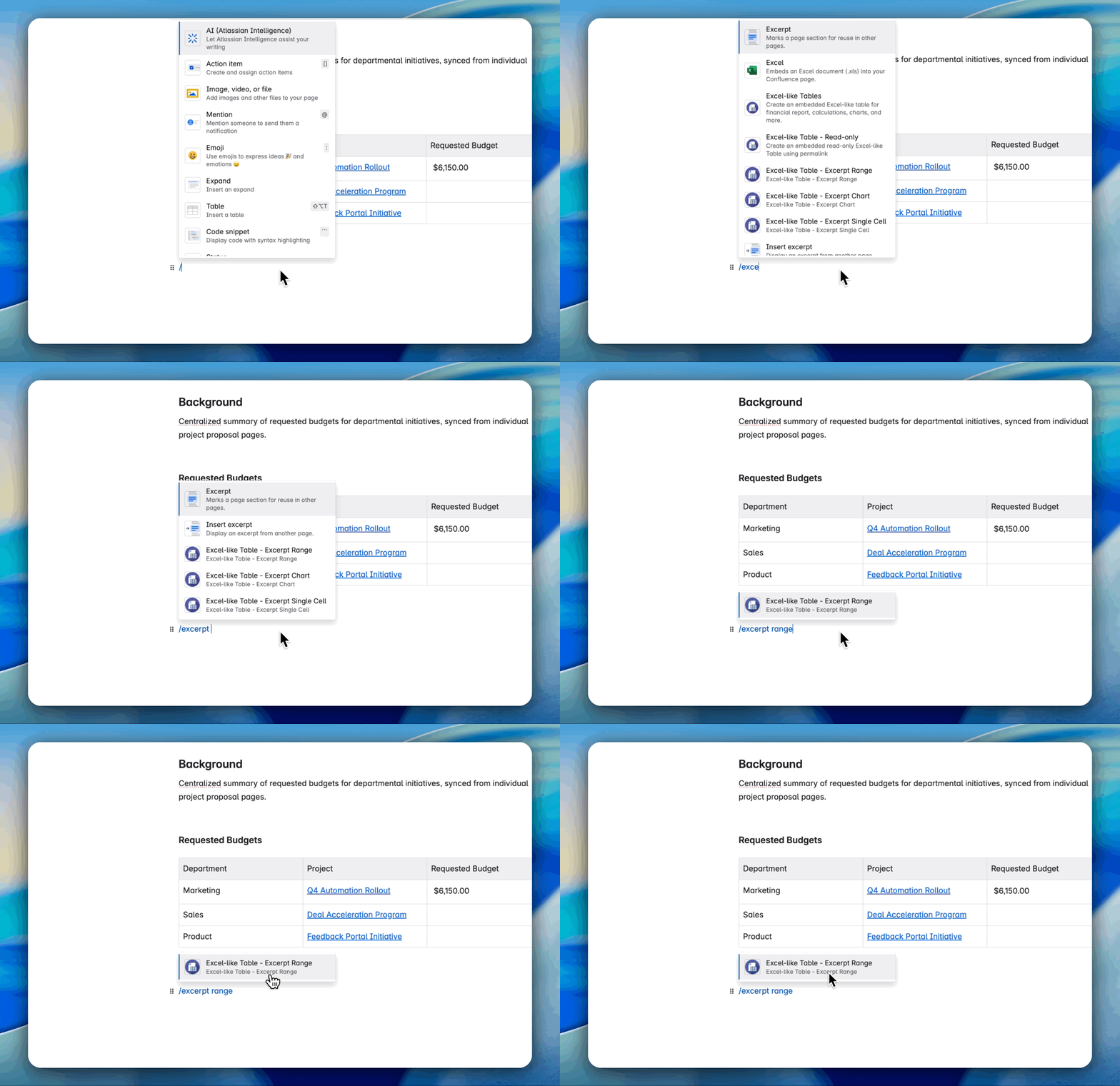
Type /Excerpt Range and select the macro

-
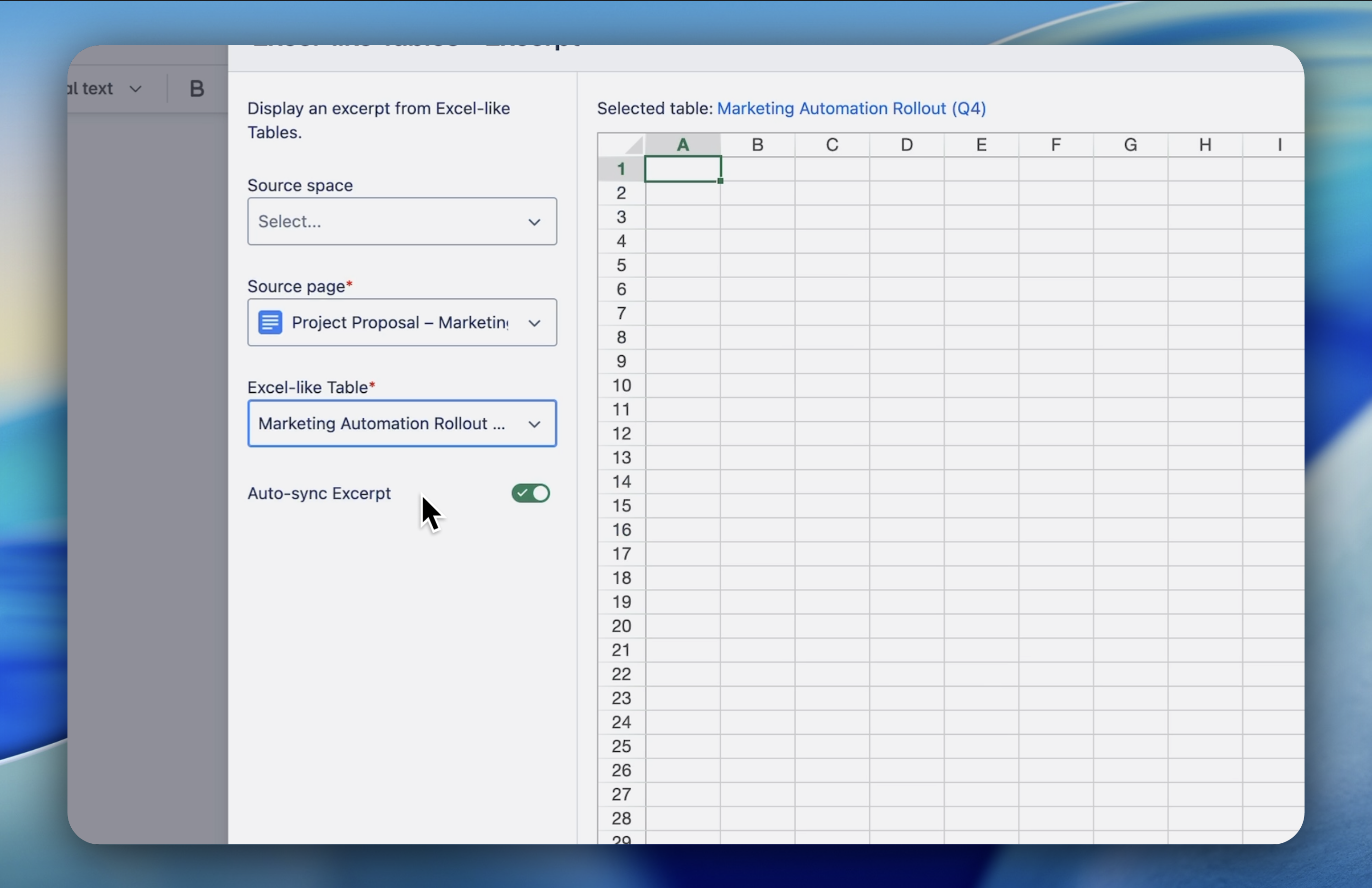
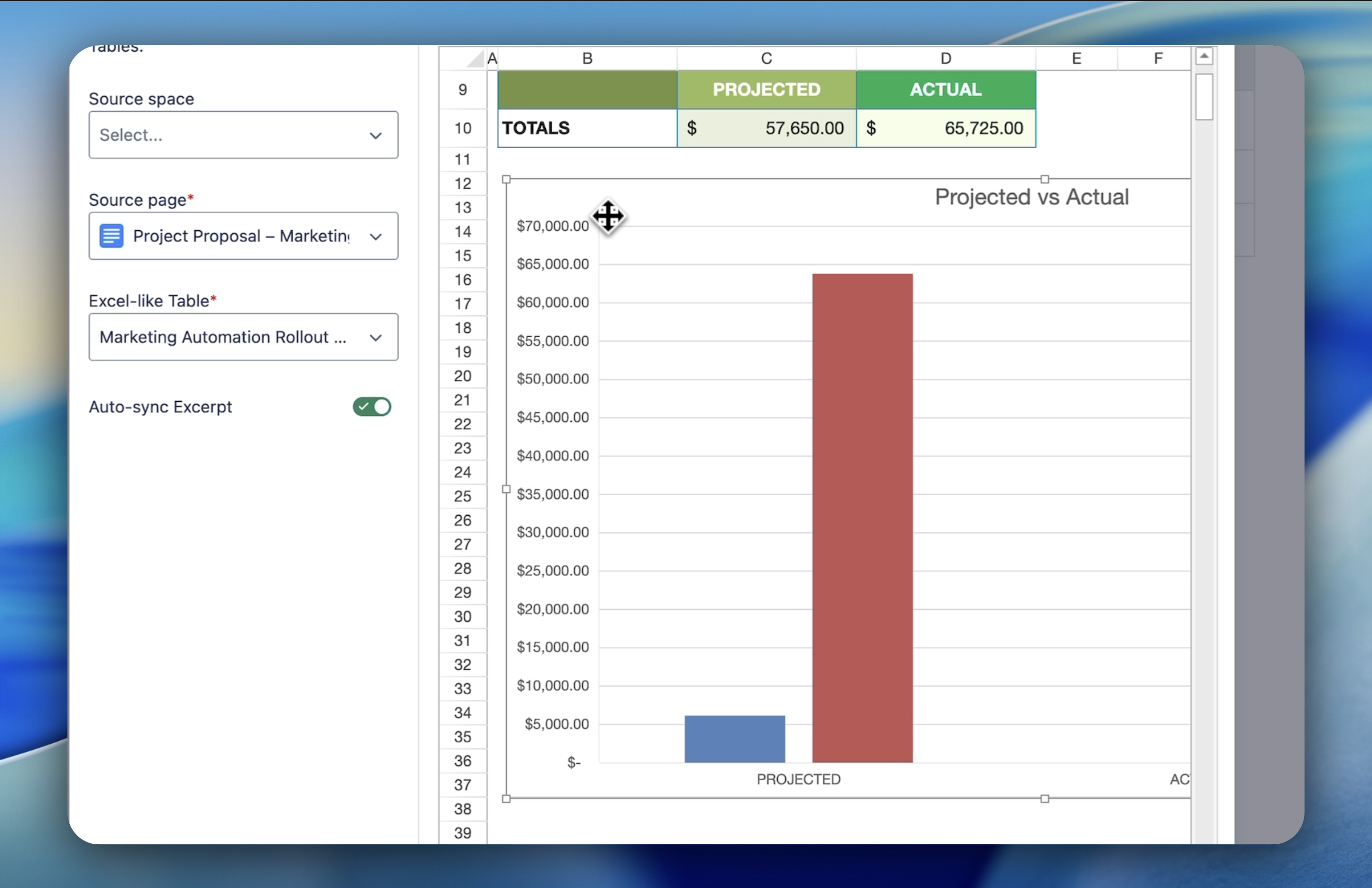
In the macro settings:
-
Select the source page where your Excel table lives.

-
Select the table block.

-
Define the start and end rows/columns to specify the range you want to display.
-
Click Excerpt and publish your page.
Example
A project management team maintains a master table of all tasks but uses a Range Excerpt to show only the “High Priority Tasks” on their team’s daily stand‑up page.
When the main table is updated, the subset on the stand‑up page updates automatically.
Need more help?
👉 See full documentation | Submit a support request